
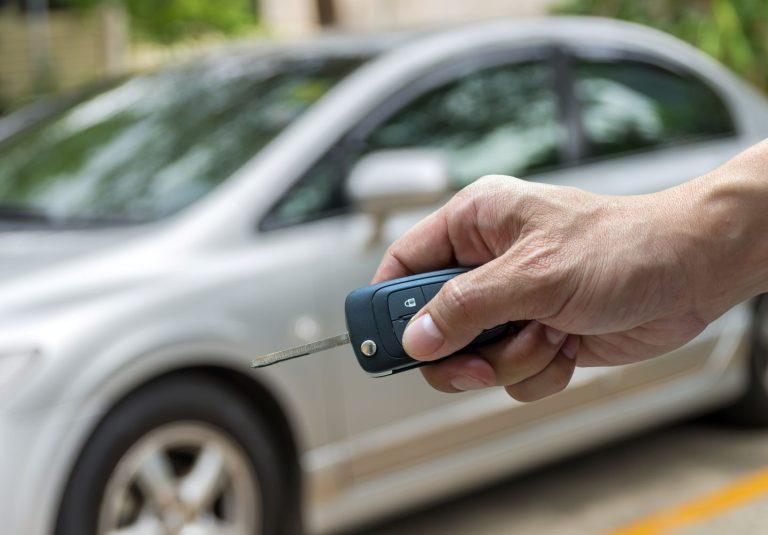
Automotive Locksmith
Can a locksmith make a car key without the original?
Yes, a locksmith can often make a car key without the original. It depends on
License Number: B03034501

Commercial keyless entry systems in Aldine help businesses control who can enter specific doors, when they can enter, and how access is managed. Instead of passing around metal keys, employees may use codes, cards, fobs, mobile credentials, or biometric readers depending on the setup.
ASAP Locksmith helps Aldine, Texas businesses install, service, and update commercial keyless access systems. Expect a site review, a discussion about daily traffic and door use, and practical recommendations that fit the way your business operates.
A commercial keyless entry system replaces or supports traditional keyed locks with electronic access equipment. The system can be installed on an exterior door, an interior office door, a storage room, a gate, or a restricted work area.
Common access methods include
A business owner in Aldine may use one code for a manager, another for a delivery team, and separate credentials for office staff. When an employee leaves, their credential can be removed instead of collecting keys one by one. That can save a lot of awkward calls that start with, “Do you still have the back-door key?”

Commercial keyless entry systems work for many business types around Aldine and nearby Houston areas. The right setup depends on the door, the number of users, and how much access should be limited.
Businesses that often use electronic door access include
A small office near Airline Drive may only need a keypad on one employee entrance. A warehouse near Aldine Westfield Road may need several controlled doors, credential records, and access for different shifts. Same idea, different shoes.
Many commercial doors can be fitted with keyless access equipment. The lock type and hardware depend on the door material, frame condition, traffic patterns, fire code needs, and whether people need to exit quickly.
ASAP Locksmith can assess access options for
A door near an active loading area needs different hardware than a quiet office door. A busy employee entrance may need hardware that handles repeated daily use. A records room may need restricted access with a keypad or credential reader. The goal is to make entry controlled without making everyday work a circus.
There is no single setup that suits every Aldine business. Some systems are simple and local to one door. Others connect multiple doors through a central management platform.
A keypad lock allows users to enter a PIN. This works well for smaller offices, break rooms, staff-only storage areas, and low-user-count doors.
Keypad systems can be useful when a business wants to avoid issuing physical keys or cards. Staff codes can be updated when needed. A keypad is straightforward, though codes should be managed carefully and not written on sticky notes next to the door. It happens more than anyone wants to admit.
Cards and fobs are common for offices, warehouses, clinics, and multi-door facilities. Each employee can receive a credential assigned to their access permissions.
A key fob system can be helpful for a company with regular staff changes. If a fob is lost, that credential can be removed from the system without changing the entire lock cylinder.
Mobile access allows approved users to unlock a door with an authorized phone. This can be useful for managers, rotating staff, maintenance teams, and businesses that want fewer physical credentials in circulation.
Mobile systems may require app setup, compatible readers, and a stable management process. They can work well for a commercial property with multiple users and varied schedules.
Biometric access readers use a physical trait, often a fingerprint, for entry. These are often considered for restricted areas where the business wants another layer of user identification.
Not every location needs biometrics. A basic keypad or fob reader may make more sense for many daily business doors. The right choice depends on the area being protected and the business routine.
An intercom system in Aldine lets staff speak with a visitor before releasing the door remotely. This can be helpful for medical offices, private offices, property management companies, and service businesses that keep their front door secured during certain hours.
A receptionist may check in a visitor from inside the office and release the door when appropriate. It is a practical setup for a business that does not want every walk-in visitor entering directly into work areas.
Commercial keyless entry systems in Aldine are not only about opening a door without a key. They can help organize access across employees, managers, contractors, tenants, and service providers.
A properly planned system may allow a business to
Consider a small business off Aldine Mail Route Road with a front office, storage room, and rear service entrance. The front staff may need access to the office and storage room. The delivery crew may only need the rear entrance during scheduled hours. A manager may need access to all areas. That arrangement keeps access practical without turning every door into a checkpoint.
A commercial access system installation begins with the actual doors, not a guess from across the parking lot. Door condition, frame alignment, exit hardware, power availability, and user needs all matter.
ASAP Locksmith generally reviews the following items during a commercial keyless access project
After the hardware is selected, the equipment is installed and tested for door operation, locking function, credential use, and exit function. Staff can then be shown how to use the system and manage regular access tasks.
A good installation should not leave the door dragging, slamming, or refusing to latch. Electronic access is only part of the job. The door still has to close and secure properly.
In many cases, yes. Some commercial doors can use electronic hardware alongside existing mechanical lock hardware. Other doors may need changes to support the selected access method.
The answer depends on several details
A storefront on Aldine Bender Road may have narrow aluminum framing that calls for one type of lock setup. A warehouse service door near the Hardy Toll Road may use a different lock and strike arrangement. The hardware should match the door, not force the door to act like something it is not.
This is a common reason businesses move toward commercial keyless entry systems. Metal keys are easy to copy, easy to lose, and difficult to track once they leave the building.
With many electronic access setups, a lost card, fob, PIN, or mobile credential can be removed from the active access list. New employees can receive authorized credentials based on their role. Former employees can be removed from the system when access is no longer needed.
It helps to keep a simple internal access list with
It may not be glamorous paperwork, but neither is rekeying every lock after a missing key turns up in someone’s old desk drawer.
Yes. Offices and warehouses often have different access needs, even when they sit on the same property.
An office may need controlled entry at the main door, manager office, records room, and IT closet. A warehouse may need controlled access at employee entrances, receiving doors, equipment rooms, tool storage, and internal offices.
Commercial keyless entry systems can help separate areas based on job duties. That matters for businesses near Imperial Valley Drive, the Aldine area industrial corridors, and properties that receive regular deliveries.
A typical setup may look like this
| Area | Possible Access Method |
|---|---|
| Main employee entrance | Card, fob, keypad, or mobile credential |
| Manager office | Keypad or credential reader |
| Inventory room | Restricted credential access |
| Rear service door | Credential access with controlled schedules |
| Reception entrance | Intercom with remote release |
The exact equipment depends on the building and daily use. A door used fifty times a day needs a different approach than a door opened twice a week.
The most useful system is the one your staff can use without stopping their day every five minutes. Access should be understandable for the people who open, close, deliver, clean, manage, and maintain the property.
A practical system can support routines like
Picture a repair shop near Little York Road. The front office opens early. Technicians arrive through a side door. Parts deliveries use the rear area. The owner does not need every person entering through the same door at the same time. Keyless access can help keep that routine orderly.
The condition of the door and frame can affect the work involved. A door that does not latch, has damaged hardware, or has an alignment issue may need attention before electronic access equipment can operate properly.
Timing can also be affected by
Some projects are focused on a single office door. Others involve multiple entry points across a commercial property. A walkthrough helps identify what is needed before work begins.
ASAP Locksmith serves businesses in and around Aldine, TX, including areas commonly associated with ZIP codes 77032, 77037, 77038, 77039, 77060, 77067, 77073, and 77093. Service needs may range from a small office near Aldine Westfield Road to commercial buildings closer to I 45, Beltway 8, and nearby airport-area routes.
ASAP Locksmith works with local businesses that need practical door access solutions without the runaround. We look at how people actually use the property, which doors need control, and what type of credentials fit the staff and business routine. Learn more About Us.
Our commercial locksmith work can help with
Whether you manage a retail space, office suite, warehouse, clinic, or service business in Aldine, Texas, the door hardware should support your workday instead of causing a daily headache.
Need help with Commercial Keyless entry systems in Aldine for your office, storefront, warehouse, or restricted work area? Contact Us to discuss your commercial access needs and arrange service with ASAP Locksmith.
Call (832) 404-0102.
Warning signs include doors that unlock slowly, keypad buttons that do not respond, or cards that work only sometimes. You may also notice error lights, low battery alerts, or doors that fail to lock after employees leave.
The issue may come from a weak battery, wiring problem, damaged lock hardware, or a programming error. A technician can test the keypad, lock, power source, and access settings to find the cause.
Often, yes. Problems with batteries, readers, keypads, door alignment, and damaged parts can sometimes be repaired without replacing the whole system. Replacement may make more sense when equipment is outdated or parts are no longer available.
Remove that credential from the system as soon as possible so it cannot be used to enter the building. You can then issue a new fob or card and review who has access to sensitive areas.
Make a list of the doors, keypads, readers, fobs, or cards that are having problems. It also helps to know who manages the system and have any available codes, manuals, or access records ready.
Yes, many commercial systems can assign different access levels for offices, storage rooms, employee entrances, and restricted spaces. Permissions can often be changed when staff roles change or when someone leaves the company.
Regular maintenance may include replacing batteries, checking door alignment, cleaning card readers, and testing locks and exit hardware. It is also wise to review user access regularly and remove old codes or credentials.
It depends on the lock type and how the system is installed. Some doors may use backup power or mechanical override options, while others may unlock or remain locked based on fire and building safety requirements.
ASAP Locksmith can inspect the affected entry point and help identify whether the problem is with the reader, lock, wiring, power, or programming. The right repair approach depends on the system type and the condition of the door hardware.
Consider an upgrade if your system has repeated failures, cannot support enough users, or does not allow you to remove access easily. Newer options may offer better access tracking, simpler credential management, and improved control over multiple doors.
Yes, a locksmith can often make a car key without the original. It depends on

Rekeying cost usually depends on how many lock cylinders need work, what kind of locks

Truck keys come in three common types, a key fob, a flip key, and a